Kodi: Open-source media center for Mac-based home theaters
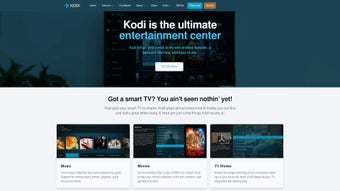
Kodi, developed by Team Kodi, is a free media center built to centralize playback and library management for Mac users and HTPC setups. The app handles local, network, and internet-sourced video, music, photos, and podcasts while providing library indexing and a plugin system for added services. Its open-source foundation and deep customization options make it attractive to media enthusiasts who want full control over a living home-theater interface.

Unlock your creativity with Adobe Stock
Get 10 images or 1 video with a free trial
What Kodi does as a home-theater front end
Kodi functions as a single front end that aggregates local drives, network shares, and internet sources into one navigable interface. It includes a built-in UPnP server for streaming to other devices, so users can both play and serve media across a household network. This design suits projects that need a centralized playback hub rather than scattered players across devices, and supports music, video, photos, and podcasts in one place.
How it handles formats and networked media
Format and protocol coverage is broad, with native handling of most common video and audio files so additional codecs are usually unnecessary. The app accesses files over SMB and NFS, and reads from local hard drives and NAS devices without extra configuration in many cases. For users managing large collections, this means fewer conversion steps and direct playback from network storage.
Who benefits from its customization and where it costs time
Kodi rewards hands-on configurators through a deep skinning engine and a large add-on ecosystem that changes appearance and adds services. What's more, the open-source model brings continuous community contributions. However, advanced setup and third-party plugins can produce a steep configuration curve and occasional instability when unverified add-ons are used, so expect time invested in tuning and vetting extensions.
Performance expectations with high-resolution and live TV workflows
Playback and PVR capability fit HTPC use, including live TV and recording when paired with a compatible backend for PVR features. The player is optimized for use on large screens and remote control operation, and it retains metadata, posters, and fanart for organized libraries. What's more, users managing high-resolution files can play them directly when the device hardware supports it, while PVR setups require a backend service to enable recording.
In conclusion, Kodi suits builders who accept setup effort for control
Kodi is a flexible option for media enthusiasts who want a centralized, configurable home-theater environment that they can shape over time. The trade-off is an investment in setup and ongoing maintenance, especially when adding community plugins. For users prepared to curate add-ons and backend services, it delivers a long-term, adaptable media hub that evolves with community contributions.





.png)